 Tepo
TepoDocument scanner for iPhone and iPad
Scan once. It files itself.
Other scanners stop at “Scanned Document 14.pdf”. Tepo reads the page on your iPhone or iPad, names the file from what's printed and puts it in the right folder: yours, your home's or your business's.
Free to start · iOS 26 · reads on device · no account
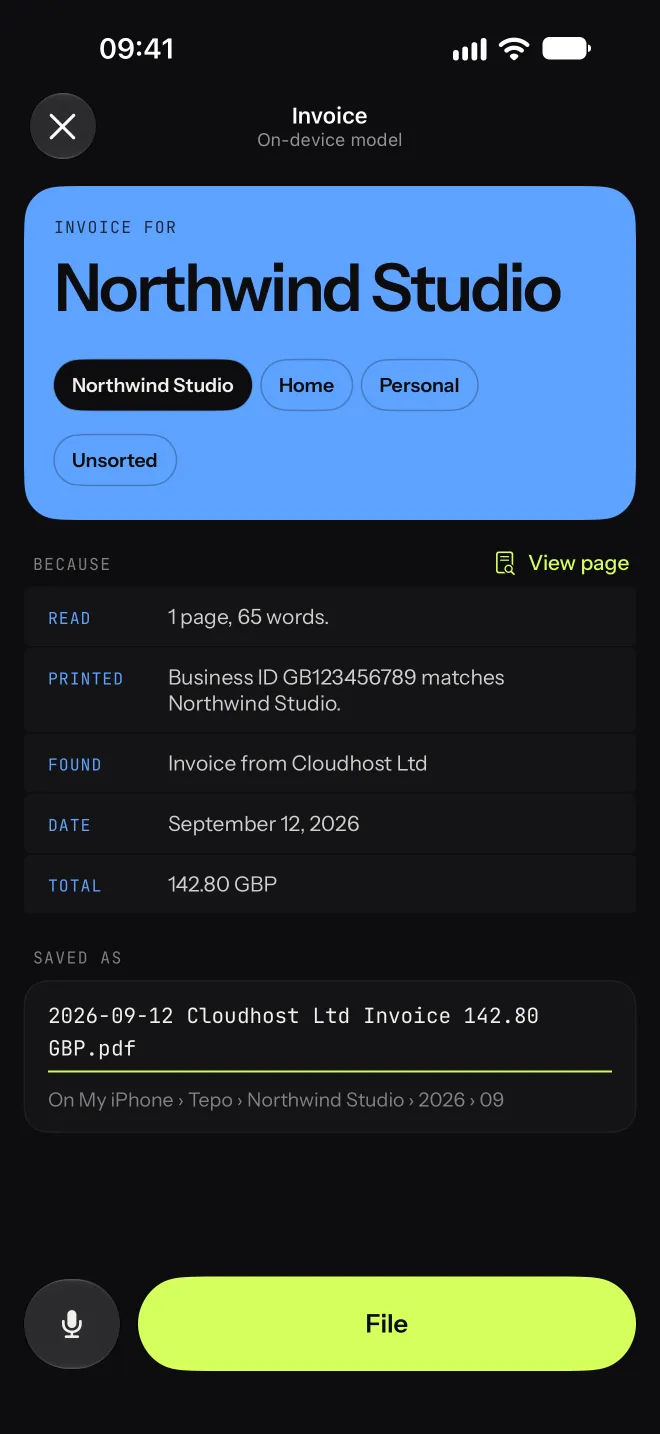
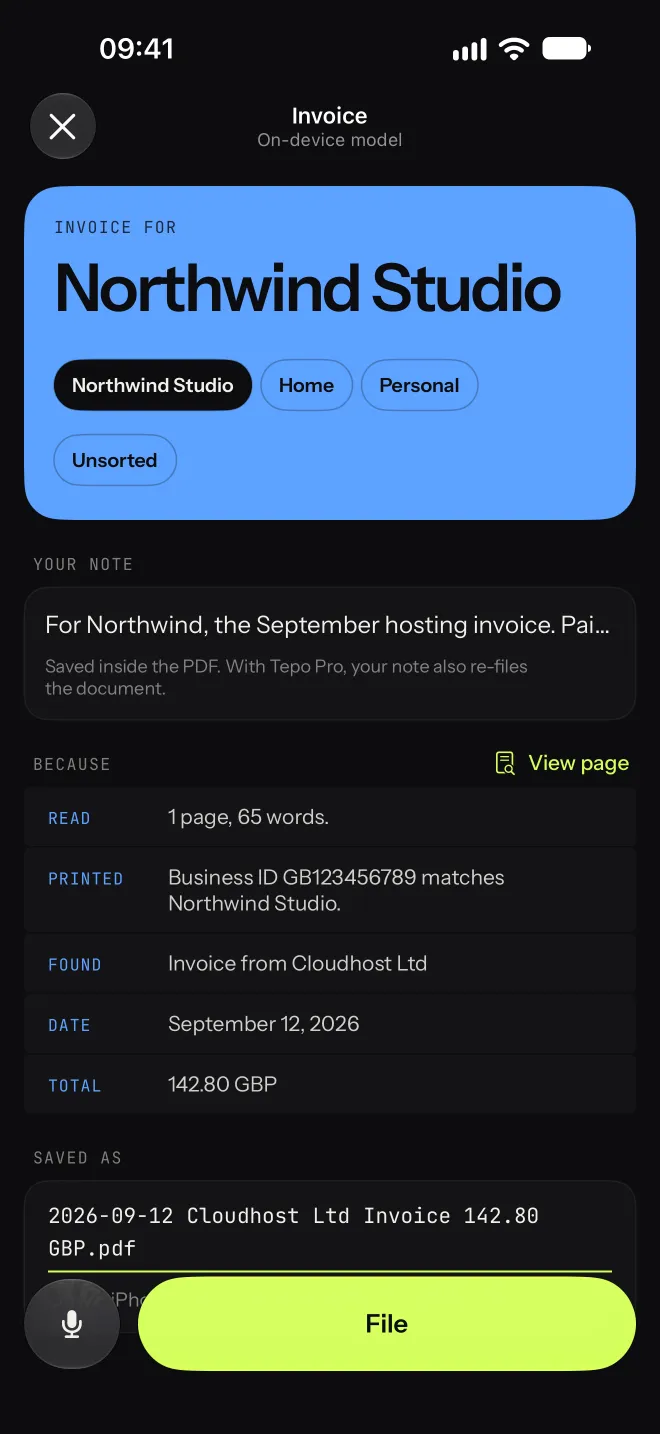
- Read
- 1 page, 65 words.
- Printed
- Business ID GB123456789 matches Northwind Studio.
- Date
- 12 September 2026
- Found
- Invoice from Cloudhost Ltd
- Total
- 142.80 GBP
2026-09-12 Cloudhost Ltd Invoice 142.80 GBP.pdf
Tepo › Northwind Studio › 2026 › 09
The difference
Scanning was never the hard part.
Naming and sorting are, so nobody does it and the scans pile up. Tepo does both the moment you scan.
Scanned Document 14.pdf
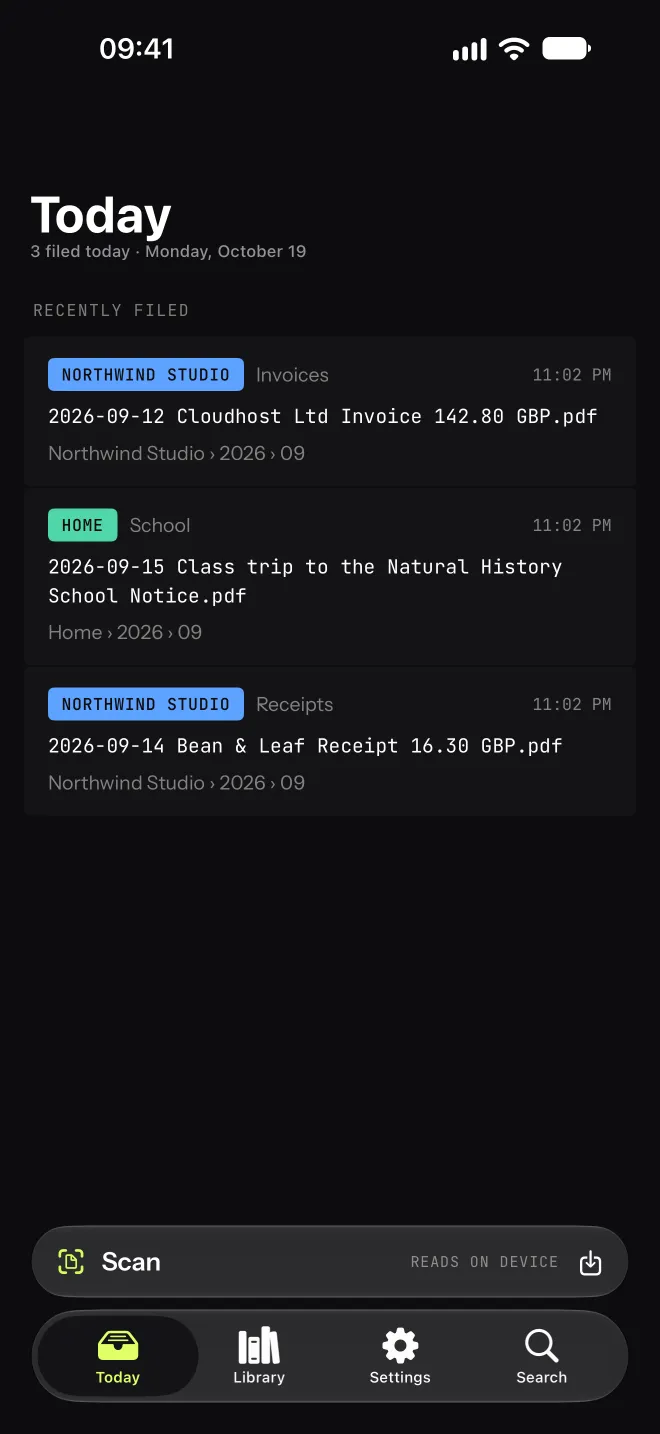
2026-09-12 Cloudhost Ltd Invoice 142.80 GBP.pdfNorthwind Studio › 2026 › 09IMG_4821.jpeg
2026-09-14 Bean & Leaf Receipt 16.30 GBP.pdfNorthwind Studio › 2026 › 09IMG_4830.HEIC
2026-09-15 Riverside School Notice.pdfHome › 2026 › 09How it works
You scan. Tepo does the rest.
Scan
Photograph a document with Apple's scanner, one page or many. Or import a PDF or a photo you already have.
Read
Tepo reads the page on your iPhone or iPad and finds the sender, the date, what kind of document it is and, for bills, the total. It only keeps what is actually printed on the page.
File
It proposes a name and a folder, and shows why. Tap File, or correct anything first. Your PDFs land in the Files app, sorted by profile and date.
What it does
Built for the paper that actually arrives.
Knows who each document is for
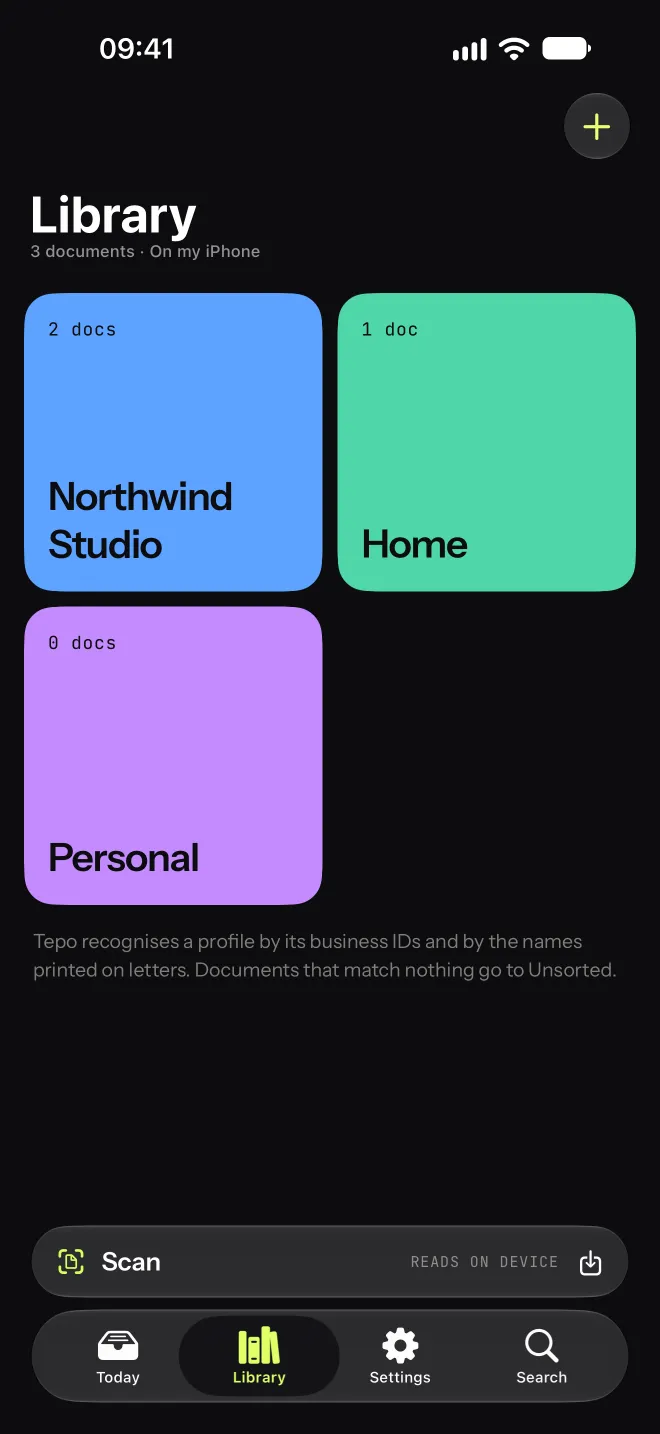
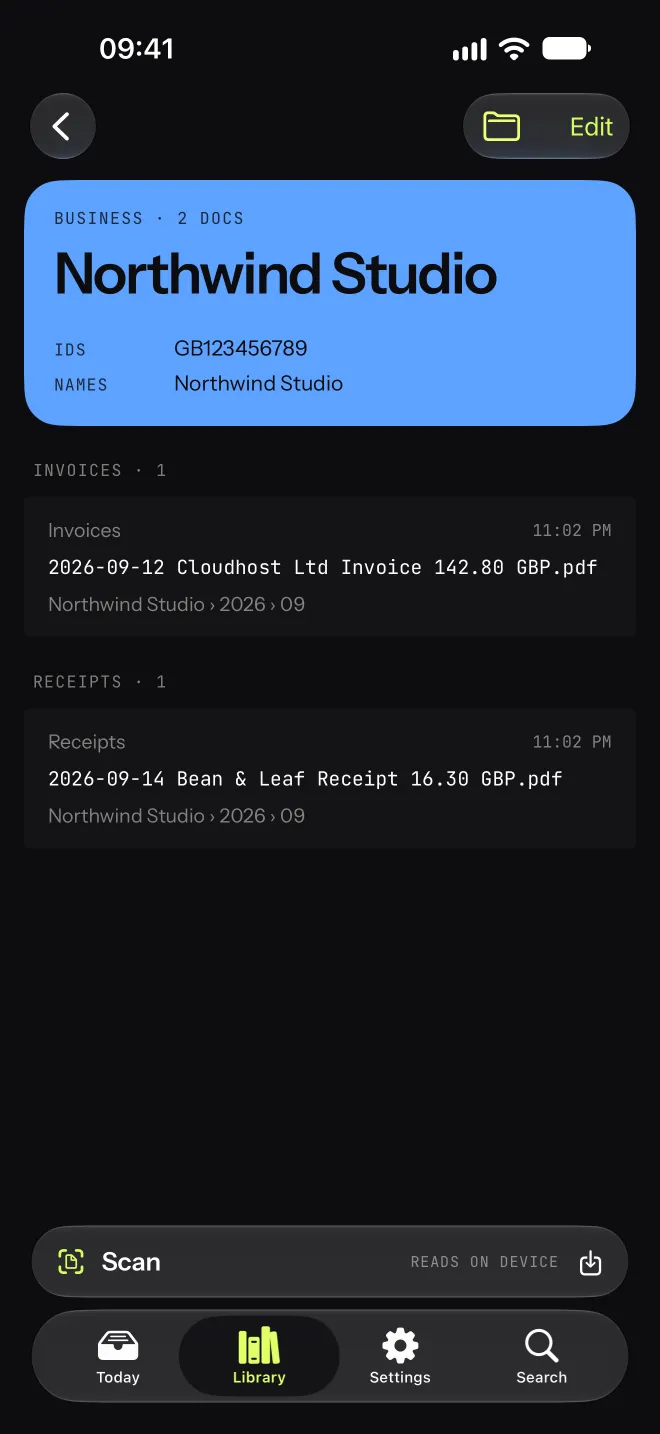
Set up profiles for yourself, your household and your businesses. Tepo recognises them by the names on your letters and by business IDs printed on invoices, from anywhere.
Shows its work
Every suggestion comes with the evidence: which ID matched, where the date came from, and anything it ignored because it wasn't on the page.
Tell it, and it re-files
Not sure where something goes? Tap the mic and say it: “It's for Northwind, the September hosting invoice.” Tepo reads the document again with your note and keeps the note inside the PDF. Remembered something later? Open the document and add another note.
Private by design
Pages are read on your device with Apple's on-device models. No account, no tracking, nothing ever sent to us.
Plain PDFs in the Files app
No proprietary library. Your documents are ordinary PDF files in the Files app, in iCloud Drive › Tepo to share them across your iPhone, iPad and Mac, or on one device only. One folder per profile, then by year and month.
Find anything later
Search by sender, type, date or note. Jump straight to the scanner from the Home Screen with a long press on the app icon.
Sends it on after filing
With Tepo Pro, each profile has its own destinations: a copy in a folder in Files, a post to your own server, or a Shortcuts automation, for example to pass a company's invoices to your accountant.
Light or dark, at any text size
Tepo follows your iPhone's appearance, or you pick light or dark. It works with Larger Text, VoiceOver, Reduce Motion and Increase Contrast.
Who it's for
For anyone who runs a business and a home.
Freelancers and founders
Supplier invoices and receipts land in each company's folder, named with date, sender and total, ready when your accountant asks.
Households
Tax letters, insurance, bank, school and health papers, filed under your home and findable in seconds.
Anyone careful with their papers
IDs, payslips and tax letters are read on your device and never sent to us. There's no account to create.
The app
What you see on your iPhone.
Pricing
Free to start. Pro when it's part of your week.
Scanning and filing are always free. Pro removes the monthly limit on smart reading and adds voice notes. It also sends documents on after filing: to a folder, your own server or a Shortcuts automation.
Free
$0
- Unlimited scanning and filing
- 10 smart readings a month, then basic reading
- Profiles, search, the Files app
Tepo Pro 7-day free trial
- Unlimited smart reading
- Voice notes that re-file documents
- Destinations and Shortcuts actions after filing
- Everything still runs on your device
Prices in US dollars; the App Store shows the price in your currency. The free trial applies to the yearly plan. Lifetime covers Pro features on your iPhone and iPad; cloud services, if added, are sold separately.
Questions
Good to know.
Does Tepo send my documents anywhere?
Not to us, ever. Pages are read on your iPhone or iPad. If you choose iCloud Drive, your documents are stored in your own iCloud account so your devices share them; otherwise they stay on the device. Documents only go elsewhere when you share them.
Which iPhones and iPads are supported?
iPhone with iOS 26 and iPad with iPadOS 26. The smart reading uses Apple Intelligence (iPhone 15 Pro and later, iPad with M1 or later, iPad mini with A17 Pro); other devices use a simpler on-device reading.
Where are my files?
In the Files app: iCloud Drive › Tepo if you keep them in iCloud Drive, or On My iPhone (or On My iPad) › Tepo if you keep them on one device. One folder per profile, then by year and month. They are ordinary PDFs you can move, share or back up.
What if Tepo gets something wrong?
Nothing is saved until you tap File, and every suggestion shows its evidence. Tap another profile, edit the name, or say what the document is and Tepo reads it again. It never invents a date or amount that isn't printed on the page. Changed your mind after filing? Edit Filing takes any document back to that screen.
Which languages does it read?
Tepo reads documents in many languages, including English, French, German, Spanish, Italian, Portuguese and Dutch, and recognises business IDs from many countries.
Is it another subscription?
Scanning and filing are free, with no time limit, and include 10 smart readings a month. Tepo Pro is for heavy use: monthly, yearly, or a one-time lifetime purchase.
What happens to my files if I stop using Tepo?
Nothing. They're ordinary PDFs in the Files app, in plain folders. Move them, back them up or open them with any app.
Clear the pile this weekend.
Scan the stack on your desk, tap File on each, and find any of it again in seconds. Free to start, on your iPhone and iPad.
Join the beta on TestFlight